
Getting Zalo Web to Run in Every Tab with One Socket
How Zalo Web keeps you to one tab, and how a small extension lets every tab share one connection
Why I keep Zalo PC off my workstation
I try to keep as little personal data as possible on machines that are not only mine: the company laptop, and the boxes my AI agents work on. Nothing dramatic, just hygiene. Data that is not stored cannot leak, get swept into a backup, or turn up in some tool's output.
A browser does not make that go away. An agent that can drive my browser can read Zalo Web as easily as I can. What I can control is how much sits on disk when nobody is looking, and that is the part I care about here.
My chat history already lives on my phone; that is where Zalo keeps it. Zalo PC adds a second full copy on disk: every conversation, photo and file anyone has ever sent me. It is not light either. Even Zalo owned up to that in December 2024, when it shipped a new Zalo PC in response to complaints about slowness and lag, promising startup twice as fast and "10 times more stable".
So I decided I was done with it. No Zalo app on the workstation, none on the agent boxes.
The phone stays the one place my history lives, and those machines get Zalo Web: chat.zalo.me in a browser tab, synced from the phone.
It mostly works. The one trade-off I accepted: after a while, older messages simply stop loading on the web. When I need that one message from three months ago, I pick up the phone and search there. Fine. A small price for a laptop that forgets.
What I had not priced in was the tabs.
"Bạn đang mở Zalo trên một Tab khác"
I work across a few macOS Spaces spread over more than one monitor, and I want Zalo within reach wherever I am. So I duplicate the Zalo tab and drag it to the window on the other screen.
The new tab loads. The old one greys out:
Bạn đang mở Zalo trên một Tab khác hoặc không sử dụng Zalo quá lâu
(You are using Zalo in another tab, or have not used it for too long.)
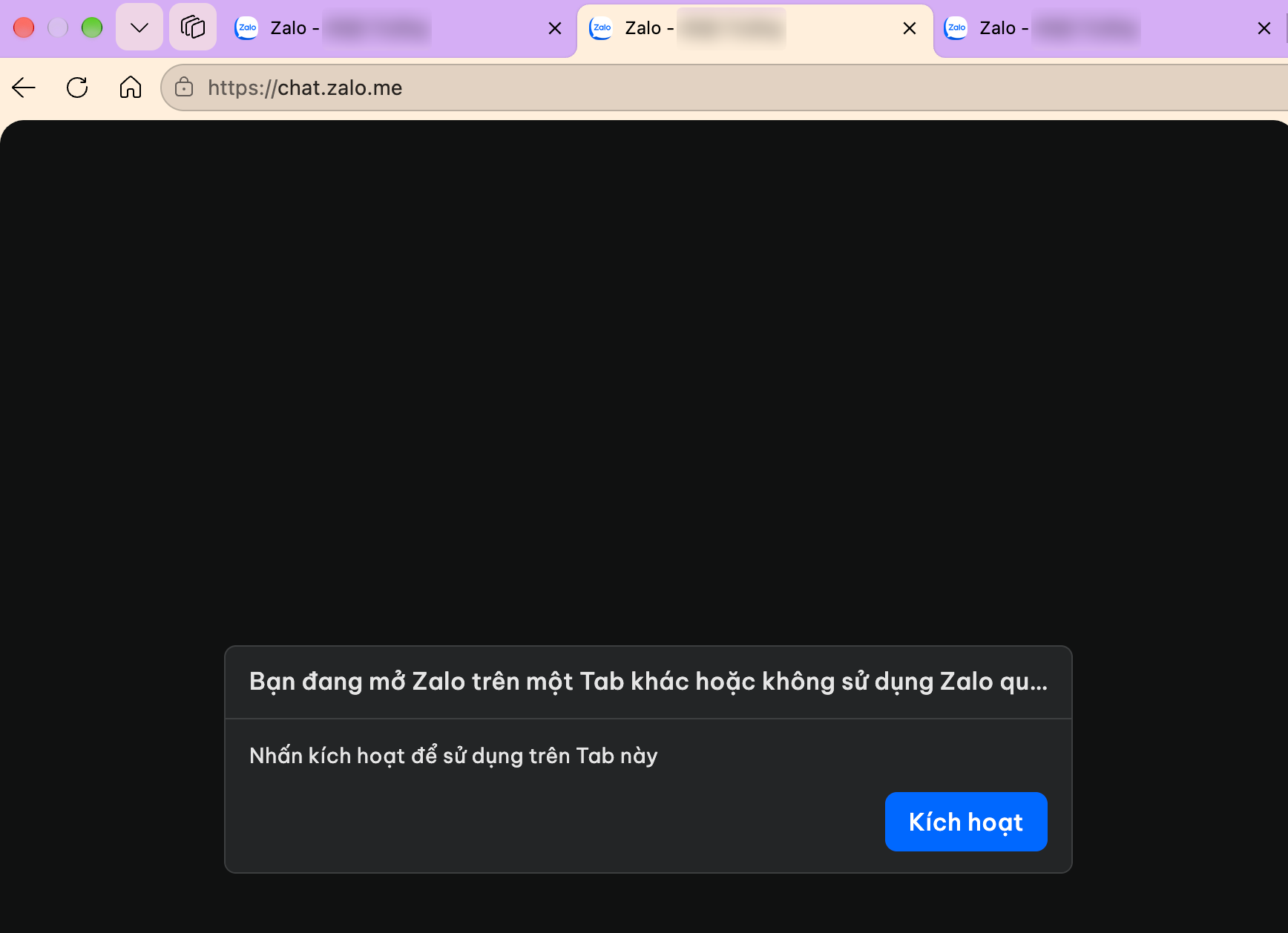
Click Kích hoạt (Activate) and the old tab comes back, while the other tab dies. Two tabs, one Zalo, taking turns kicking each other out.
I write YAML for a living. When something refuses to run twice, I want to know who is holding the lock.
Who is holding the lock?
DevTools first, then a throwaway probe extension (it still lives in the repo under tools/probe) that logs every write to Zalo's storage and every WebSocket open and close.
Zalo Web enforces "one tab" in two places:
- In the browser. A new tab writes a fresh UUID to
localStorage["sh_singleton_web_app"]. Every other tab gets astorageevent, sees a UUID that is not its own, closes its socket and shows the dialog. - On the server. One chat WebSocket per account. Open a second one, and the server sends command
3000down the first and drops it.
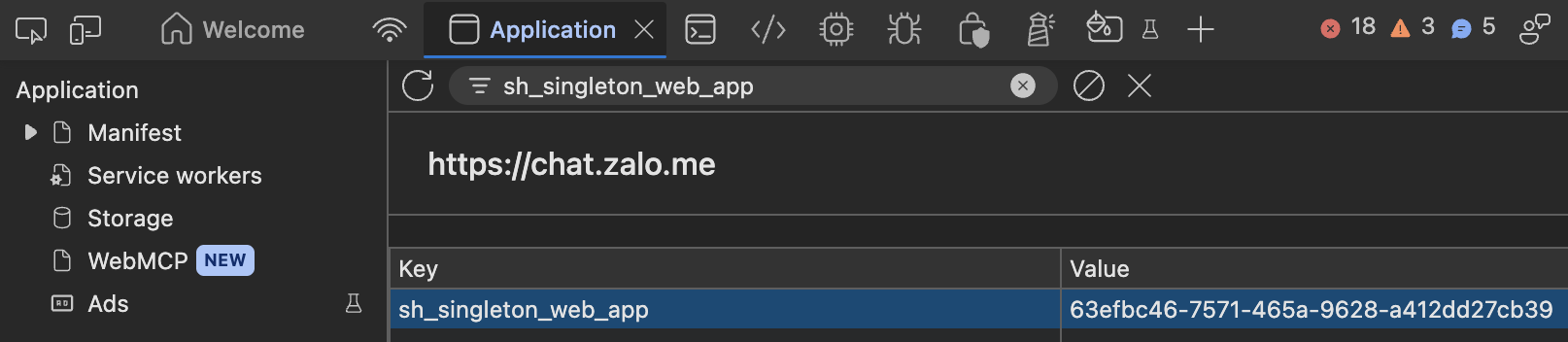
Here is the first lock in DevTools. Before I duplicate the tab, the key holds 63efbc46-…:
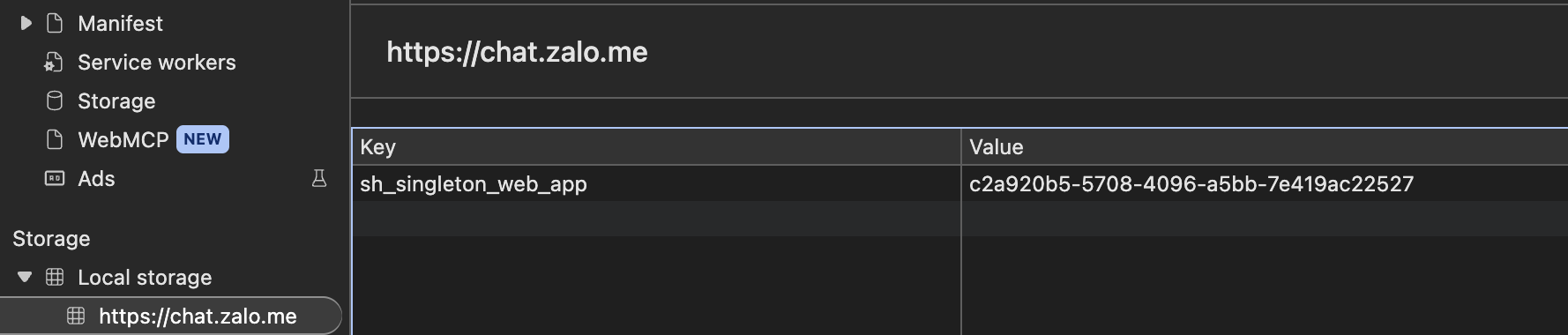
One duplicate later, the new tab has written its own UUID. Every tab reads the same key, and only the newest one recognises the value as its own:
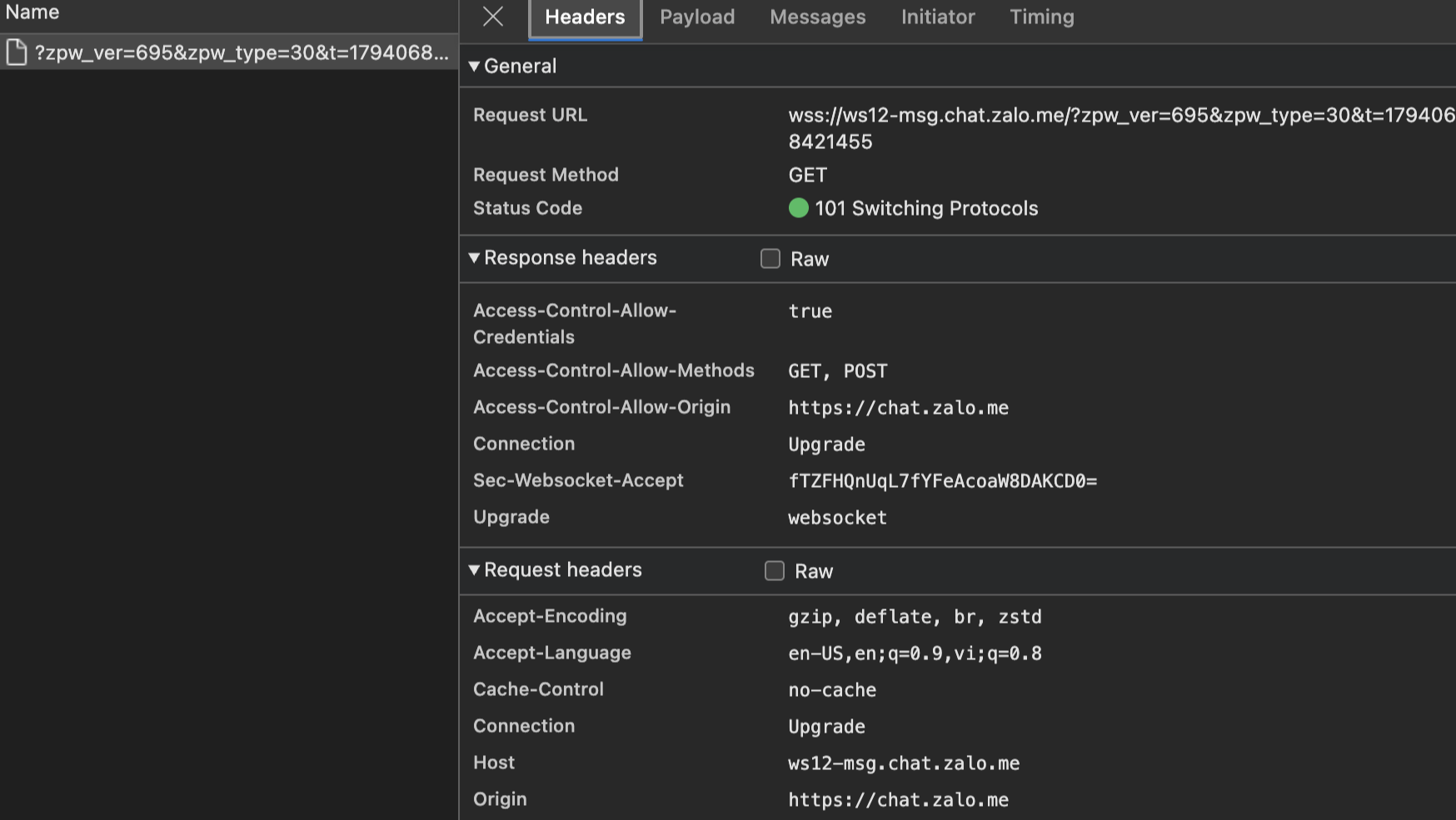
And the second lock: the whole chat runs over a single WebSocket, wss://ws12-msg.chat.zalo.me/?zpw_ver=695&zpw_type=30&…. One per account, however many tabs ask for it.

So convincing every tab to ignore the localStorage claim is only half the job. Each tab still opens its own socket, and the server keeps only the newest one.
The idea
Two locks, so two moves:
- Every tab ignores the others' claims. Each tab keeps its own value for
sh_singleton_web_app, and Zalo never sees thestorageevents coming from other tabs. - Only one tab talks to Zalo. One tab holds the real socket, and every other tab sends and receives through it.
I prototyped it as a userscript first, and the idea held up. The catch was everything around it. A browser does not run userscripts on its own: you install a userscript manager first (Tampermonkey, Violentmonkey, pick your monkey), then the script, then keep both up to date by hand. On every browser, on every machine. For something I want on every laptop I sit at, that is two installs too many, and one more thing to forget on the next fresh MacBook.
The action
So I turned it into an extension, Z Tabs. Each move maps onto something the browser already does well.
Run before Zalo does. The script is registered with chrome.scripting.registerContentScripts in the page's own world (world: "MAIN") at document_start, so it is in place before any Zalo code runs. It patches localStorage so each tab keeps its own singleton value, and a capture-phase storage listener swallows the other tabs' claims before Zalo ever sees them.
Leader election for free. Every tab asks for the Web Lock ztabs:hub, and the browser grants it to exactly one. That tab is the hub. When the hub closes or freezes, the browser releases the lock and the next tab in line takes over within a few seconds. No heartbeat code, no split brain.
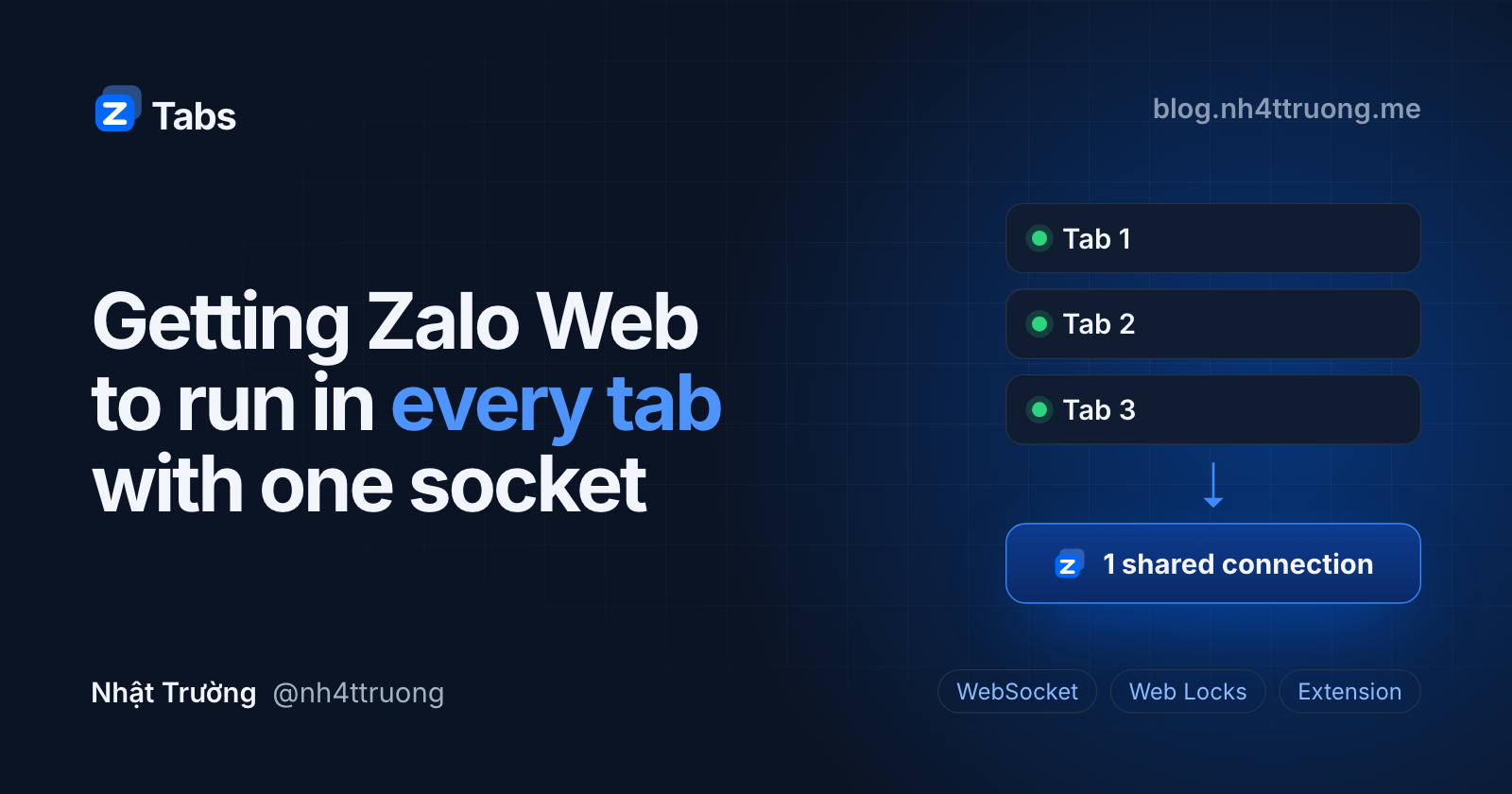
One real socket. window.WebSocket is wrapped in a Proxy. In the hub, the chat socket is real. In every other tab it is a virtual socket that relays frames to the hub over BroadcastChannel("ztabs:relay").
Make the followers believe. The hub caches the handshake and replays it to each new tab, so every tab thinks it has just connected. A response goes back to the tab that asked, matched by reqId or eventId; the hub decrypts a response only to read that id. Everything else is broadcast.
Fail safe. If no handshake arrives within 10 seconds (say, Zalo changed its protocol), every tab falls back to plain single-tab Zalo Web. Turn Z Tabs off and reload, and the script is not even registered.
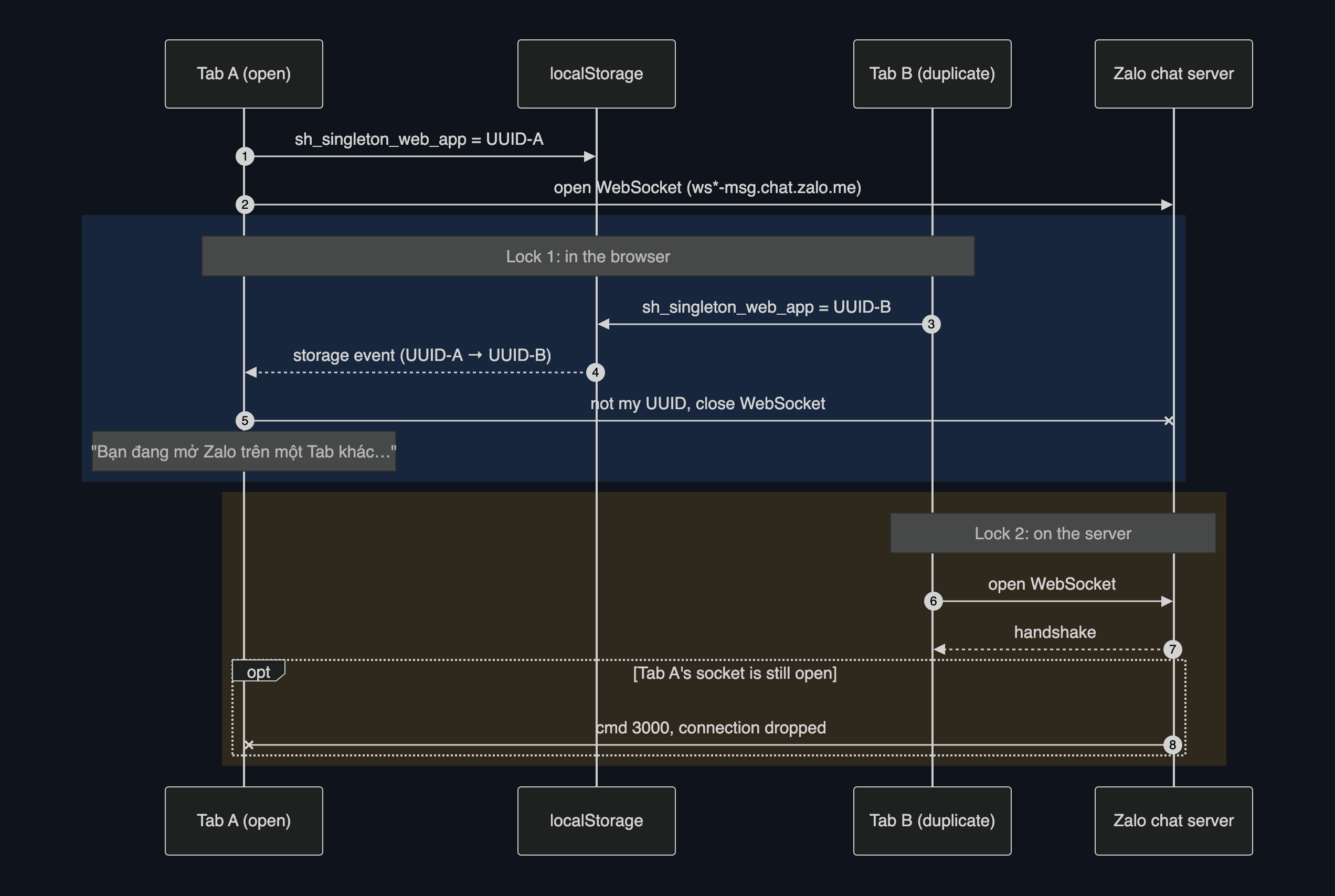
And the extension fixed what the userscript could not: no monkey required. It installs from Edge Add-ons in one click, updates itself, and follows my Edge profile to every machine I sign in to. One switch in the popup turns it on or off.
Did I just break my own rule?
Fair question for a tool that sits in the middle of chat traffic. Z Tabs relays Zalo Web's own frames between tabs, inside the browser, and sends nothing anywhere: no server, no analytics, no logs. The code is open, so you do not have to take my word for it.
To be fair to the rule: Zalo Web does keep data on the laptop. Open DevTools on chat.zalo.me and IndexedDB has a whole shelf of databases, most of them suffixed with your account id:
IndexedDB  https://chat.zalo.me
├── e2ee_<account-id>
├── media_<account-id>
├── msginfo_<account-id>
├── r_db_<account-id>
├── sidx_<account-id>
├── sync_<account-id>
├── zdb_<account-id>
├── zpreferences_<account-id>
├── zres_<account-id>
├── tensorflowjs
├── trust
├── zdb_qos
├── zdbstate
├── zlocalstorage
└── zsecure-localstorage
The difference is where it lives and how much of it there is. All of it sits under one origin, inside the browser's sandbox: about 112 MB on my machine, 100 MB of it IndexedDB (ask navigator.storage.estimate() in the console), against the gigabytes the desktop app is known for. It is still on disk, so an agent that can read the browser profile could read it too, but it is a fraction of what the desktop app keeps, and one "Clear site data" wipes every byte, no app data folder to hunt down. Whatever is not in that cache comes from the phone, which is the same trade-off I accepted at the start. And if your agents drive a browser, give Zalo a browser profile of its own that they never touch.
What it does not fix
- It is not an official Zalo feature. A Zalo Web update can break it, and the 10-second fallback keeps chat usable when it does.
- Zalo PC, or Zalo Web in another browser, still takes the one connection.
- Tabs share Zalo's IndexedDB, so a conversation list may occasionally need a reload.
- Old messages still need the phone. Z Tabs fixes tabs, not history.
Try it
Get it for Edge, Download for Chrome, and a live demo of three Zalo tabs sharing one connection:
- Edge: Edge Add-ons, one click.
- Chrome, Brave, Cốc Cốc and other Chromium browsers: download the zip from GitHub Releases and load it unpacked.
- Site: nh4ttruong.github.io/z-tabs, with a demo where you can flip the switch and watch a tab get kicked out.
- Code: github.com/nh4ttruong/z-tabs, MIT.
Now, if you will excuse me, I have four Zalo tabs open and none of them is complaining ^^
About the author
- An engineer who just writes YAML, coding stuff, chats with AI, and spends my days making things secure, automating what I can, and debugging what I must.
Comments
Join the discussionThe two-locks framing makes the whole thing easy to follow, and using the Web Locks API for leader election is a neat fit for this problem. The hub/follower split with a virtual WebSocket relay is an elegant way to keep every tab believing it has its own connection. The honest 'what it does not fix' section is appreciated too.